

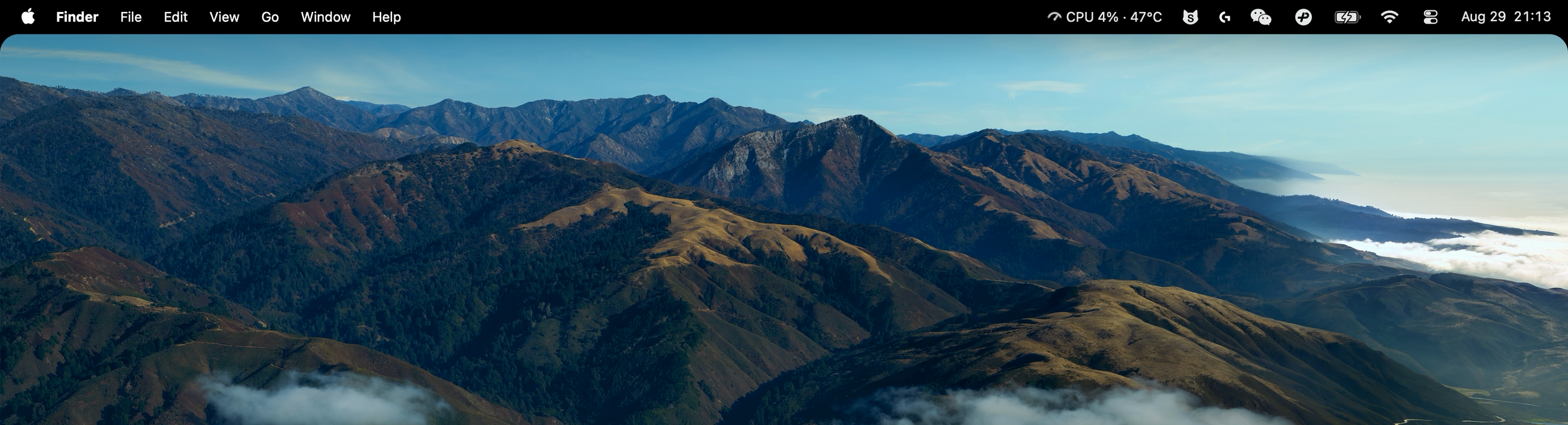
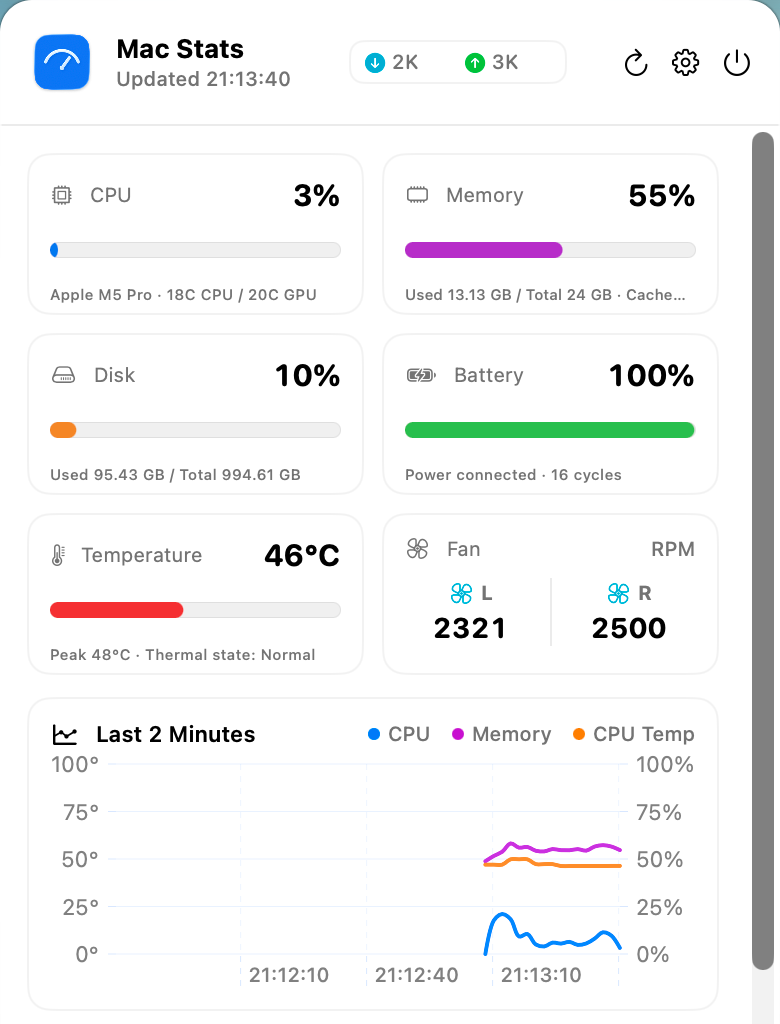
A simple, elegant little utility.

Mac Stats

  • Refine your menu bar
  • Hide the notch
  • System status, simply displayed
  • Minimal system resource usage

macOS 13+ · Apple Silicon & Intel

v1.0.0 · Universal · 中文 / English

Hide the MacBook notch. Keep your system in view.

A dark menu bar that blends with the notch

Mac Stats visually hides the MacBook notch with a dark menu bar and adds adjustable rounded desktop corners. It does not remove the camera cutout or increase usable screen space. Macs without a notch can use the dark menu bar too.

macOS system monitoring in your menu bar

Track CPU usage, memory usage, network activity and battery status. Open the dashboard for temperature monitoring, fan speeds, disk capacity and process activity. Hardware sensor support varies by Mac model.

Frequently asked questions

Which Macs are supported?

Mac Stats requires macOS 13 or later and runs on Apple silicon and Intel Macs. Static and traditional Dynamic Desktop wallpapers are supported; Aerial and video wallpapers are not.

Is Mac Stats free and open source?

Yes. Mac Stats is free and its source is available under GPL-3.0-or-later. Official downloads are signed and notarized by Apple.

Does system monitoring data leave my Mac?

System readings, processes and wallpapers stay on your Mac. Basic identifier-free usage statistics are enabled by default and can be disabled in Settings.